Built on a KICKR Core
CrankPilot's ERG control, reconnection and metric parsing were written and debugged on a Wahoo KICKR Core, and it is still the trainer the app is ridden on. If you own one, you have the setup the app was built for.
Pairing the Core
- Give the pedals a few turns to wake the Core over Bluetooth.
- Open Settings, then Sensors in CrankPilot.
- Add a sensor and select your KICKR Core.
- Add a heart-rate strap or the Zwift Ride controller if you use them.
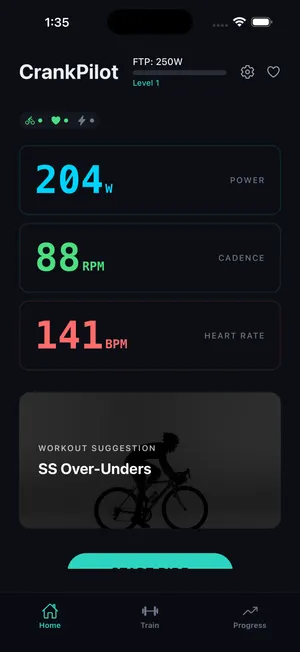
ERG, power and cadence
In a workout, CrankPilot puts the Core in ERG mode and feeds it the target power for each interval, and the Core holds it whatever your cadence. Power and cadence come back over FTMS and drive the live cockpit and the running NP, IF and TSS. Speed and distance come from the Core as well, so a ride has a distance without a wheel sensor.
Reconnection and export
If the Core drops mid-ride, keep pedaling. The connection comes back without you. Every ride saves as a standard .fit file. Uploads to Strava, TrainingPeaks and Apple Health are there if you connect them, and off until you do.