Pairing a KICKR
CrankPilot connects to the KICKR over Bluetooth. No ANT+ dongle and no bridge app:
- Pedal a few turns to wake the KICKR so it starts advertising over Bluetooth.
- In CrankPilot, open Settings, then Sensors.
- Add a sensor and pick your KICKR from the list.
- Add a heart-rate strap or the Zwift Ride controller too, if you ride with them.
The pairing is remembered, so the next ride is one tap. If the KICKR drops mid-session, keep riding. It reconnects on its own.
ERG on the KICKR
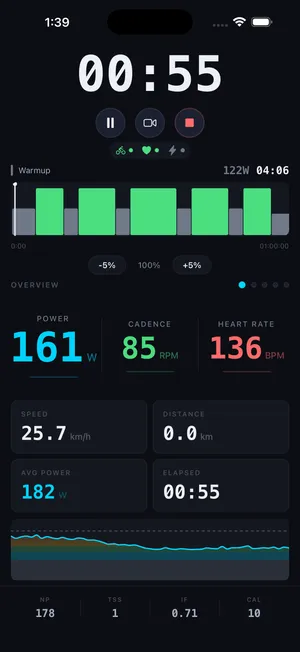
In a structured workout CrankPilot puts the KICKR in ERG mode and sends the target power for each interval. The KICKR sets its resistance to hold that number whatever your cadence, so you ride the session as written. Nudge the whole workout in 5% steps if a block is off, or switch to resistance or grade mode mid-ride when you want to push the effort yourself.
What comes off it
The KICKR reports power and cadence straight over FTMS, and speed derived from your power. All of it lands in the ride and drives the live cockpit — power with color zones, cadence, and your running NP, IF and TSS. When you stop, the ride saves as a standard .fit file you can send to Strava, TrainingPeaks or anywhere else.