Virtual gears
In resistance and grade modes CrankPilot gives you twelve virtual gears, and the Zwift Ride's shift buttons move you through them. Each gear steps the resistance the trainer applies, so changing gear feels like changing gear without a real cassette. Click down for a climb, click up to spin out a descent. The gear range is built from your FTP, so the spread suits your fitness rather than an arbitrary ladder.
Paddles nudge the workout
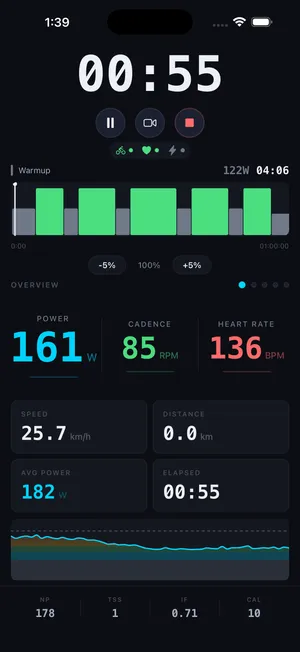
During a structured ERG workout the paddles do something more useful than shifting: they push the target power up or down on the fly. Feeling strong, squeeze for a few more watts. If a block is biting harder than it should, ease it back. Both happen mid-interval, without taking a hand off the bars or stopping to tap the screen.
The buttons
CrankPilot reads the Ride's full input set (the shift buttons, the paddles, and the directional and action buttons) and maps them to in-app actions. Holding a button down does not repeat it, and each button's action can be changed in Settings under Controls. The controller pairs over Bluetooth as one of your sensors, alongside the trainer and a heart-rate strap.
Why bother
Almost nothing outside Zwift's own app reads the Ride controller. If you own one and want structured workouts with gears under your fingers and the intensity a squeeze away, this is one of the few places it works.